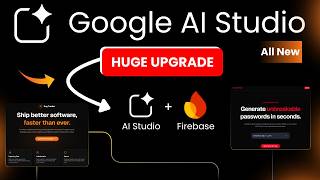
Google AI Studio Now Builds Full Stack Apps | Firebase Automated

demo
0 subscribers
Google AI Studio Now Builds Full Stack Apps (Firebase Automated)
In this video, we explore the All New Google AI Studio upgrade and show you how it can now automatically handle Firebase integration — building full stack apps with authentication and database without any manual setup.
We put this to the test by building two real apps: a SecurePass Generator and a Bug Tracker app. You’ll see authentication, Firestore database, and real-time cloud sync working seamlessly with just a few prompts.
No hype. No assumptions. Just a practical walkthrough showing what works, what’s automatic, and how you can leverage Google AI Studio to build production-ready full stack apps instantly.
💡 What you’ll learn step-by-step:
✅ Build a modern web app with Firebase Authentication (Google Sign-In)
✅ Connect Firestore database and save real-time data securely
✅ See automatic Firebase integration in action (no setup needed)
✅ Build apps with custom UI, dashboards, and cloud vaults
✅ Test authentication, password generation, and database functionality
✅ Understand how multiple apps handle databases and authentication
✅ Learn when to use the default Gemini project vs a custom Firebase project
✅ Explore real-world use cases for SaaS apps, internal tools, or MVPs
By the end of this video, you’ll clearly understand:
✔ How Google AI Studio handles full stack app building automatically
✔ How Firebase setup works in the background
✔ How authentication and databases sync with your AI Studio frontend
✔ How to manage multiple apps with separate or shared projects
✔ How to build apps faster and focus on features instead of setup
00:00 – The Full-Stack Revolution: Goodbye Manual Setup
01:03 – The One-Click Magic: Enabling “Add Database & Auth”
01:30 – Verification: Starting with a Blank Firebase Console
01:41 – Choosing the Model: Why Gemini 3.1 Pro is the Play
01:50 – The Master Prompt: Designing a Secure Password Vault
02:39 – Real-Time Integration: AI Studio Triggers Firebase Setup
03:13 – Cloud Hosting: Selecting Your App’s Global Location
03:42 – Behind the Scenes: Inside the “Anti-Gravity” Agent
04:17 – App Breakdown: Features, Auth, and Security Rules
05:08 – Instant Project Creation: No Manual Config Required
05:25 – Live Demo: Testing the Google Sign-In Integration
05:50 – Functionality Test: Generating & Saving Secure Passwords
06:48 – Data Validation: Checking Live Entries in Firestore
07:53 – Stress Test: Building a Second App (The Bug Tracker)
08:35 – Pro Tip: How Multiple Apps Share One Firebase Project
09:06 – Advanced: Scaling to Multiple Firebase Projects
09:34 – Wrap Up
🔗 Tool Links:
💻 Try Google AI Studio → https://aistudio.google.com
🔥 Firebase → https://firebase.google.com
📌 Subscribe for more AI + NoCode tutorials:
👉 www.youtube.com/@WeCodeNoCode
👍 Like, Comment & Share if you found these tips helpful!
⚠️ Important Note:
This video is for educational and demonstration purposes only.
All brand names, app names, logos, and examples shown in this video are used for demo purposes only and do not represent any real company, product, or service.
#GoogleAIStudio #Firebase #Firestore #NoCode #AIApps
#BuildWebApps #SaaS #AItools #BuildInPublic #FreeTools
#FullStackApps #WeCodeNoCode #MVP #SaaS

How I Build & Sell Beautiful $5,000 Animated Websites with AI (Google AI Studio)
demo
17 views • 1 month ago






BLOG-M – Im Licht #61.1- "Perspektiven" – Im Austausch mit Jens Zimmer
Theanh
17 views • 1 month ago


Ancient Egypt's Greatest Mysteries | The Great Pyramid of Giza & The Great Sphinx
Theanh
15 views • 1 month ago